Notices

Pay Fees Online

Before You Begin

Fees for WR GOVT COLLEGE are collected through the SBI Collect payment gateway. Please read every step carefully and keep your transaction reference number safe after payment for future validation.

Go to SBI Collect
1

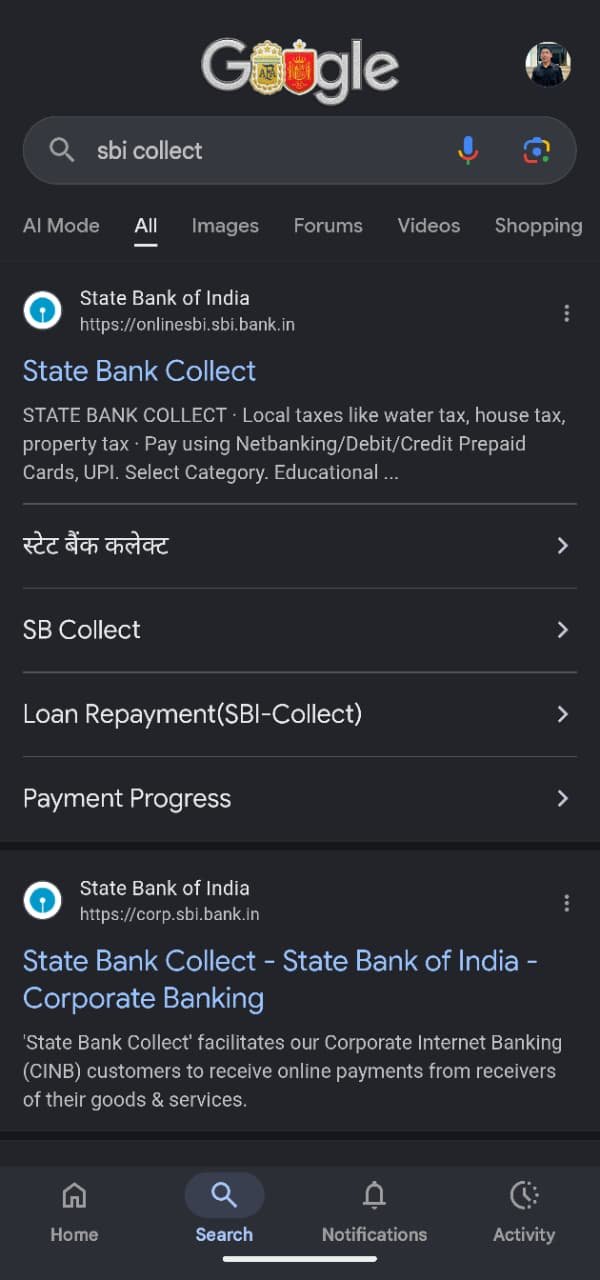
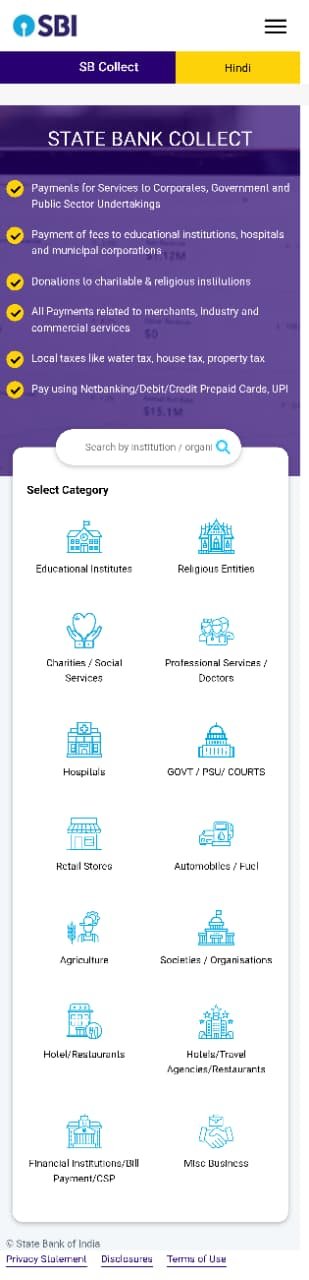
Step 1 — Open SBI Collect and Select Category

Click the "Go to SBI Collect" button above (or the link below). On the SBI Collect page, choose the Educational Institutes category.

Link: https://onlinesbi.sbi.bank.in/sbicollect/payment/listinstitution.htm

Tap an image to view full size

2

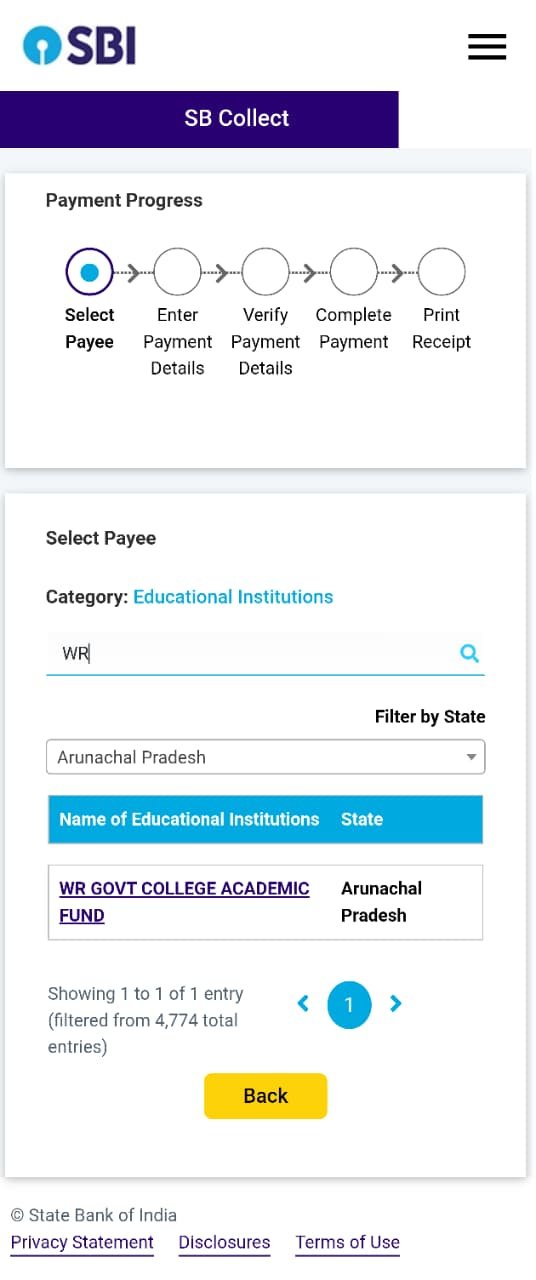
Step 2 — Search for the College

In the search bar, type WR and select "WR GOVT COLLEGE ACADEMIC FUND" from the results (Arunachal Pradesh).

Tap an image to view full size

3

Step 3 — Enter Payment Details

Fill in the payment form carefully — this single page covers your payment details, remitter details, and consent:

  • Payment Category — select your Semester and Subject correctly
  • Name and Father's Name — Sentence case (e.g. Rahul Kumar)
  • Mobile Number and Email ID — enter correctly to receive payment confirmation
  • Registration Number and Admission Fee (fee amount is fixed)
  • Remitter Name, Mobile No. and Email ID — the same details are used to send you the transaction reference number
  • Tick the Terms & Conditions checkbox and fill in the captcha shown on screen
Admission fees are fixed. For any discrepancy, contact the Academic Cell.

Tap an image to view full size

4

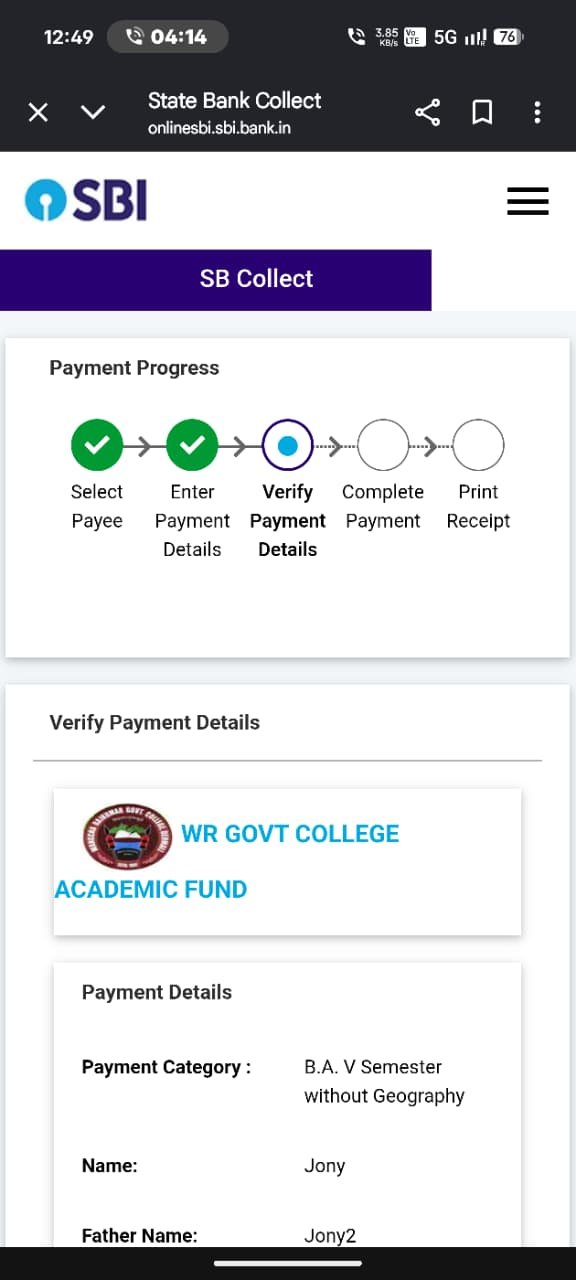
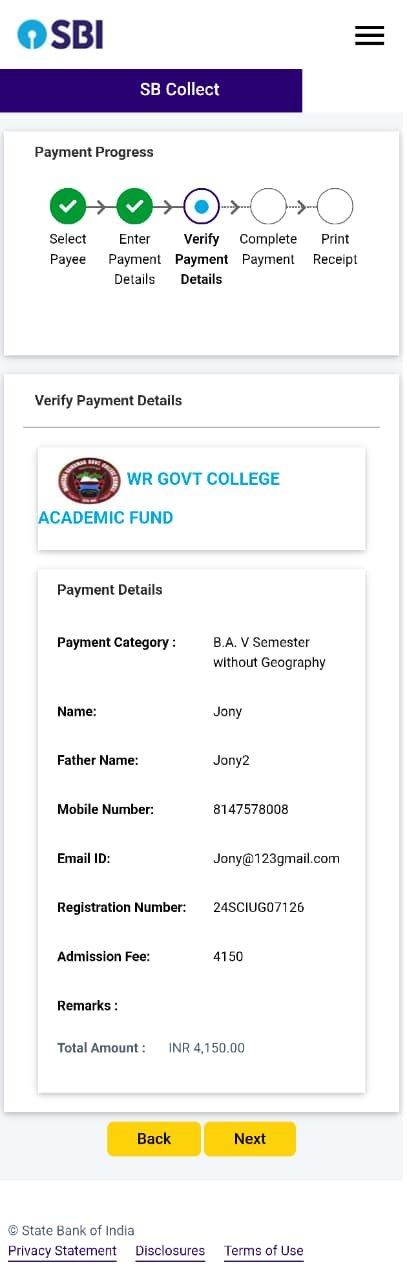
Step 4 — Verify Payment Details

Click Next. Your complete payment details will appear on screen — review everything carefully, then click Next again to proceed.

Tap an image to view full size
5

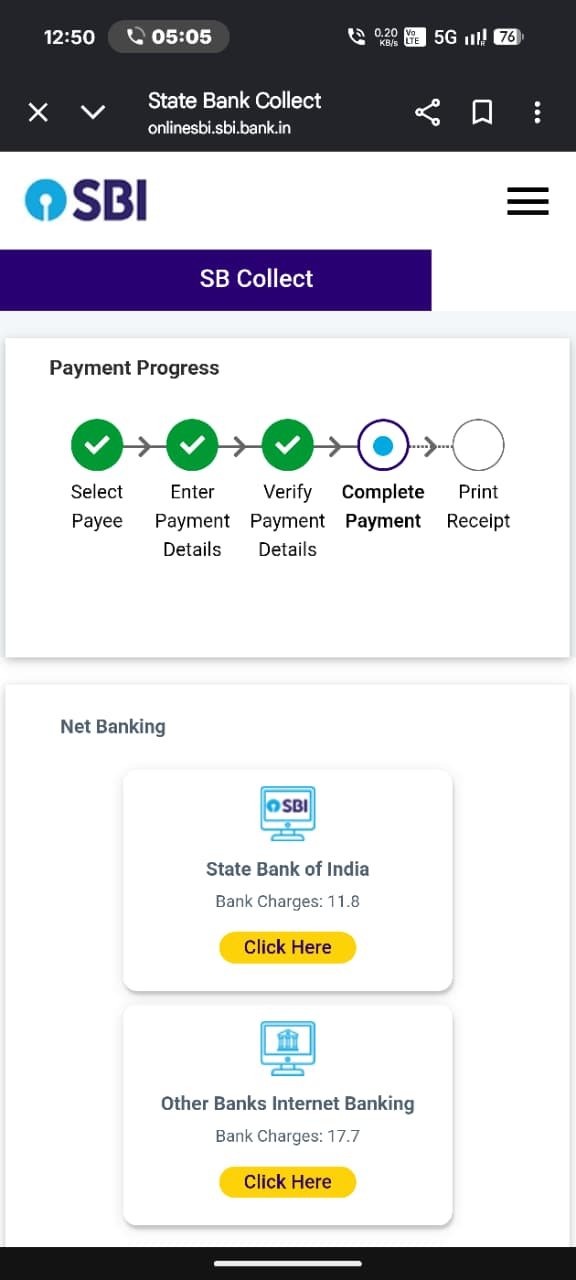
Step 5 — Choose Payment Mode

Select your preferred mode of payment — Net Banking, Debit/Credit Card, or other available options.

Tap an image to view full size
6

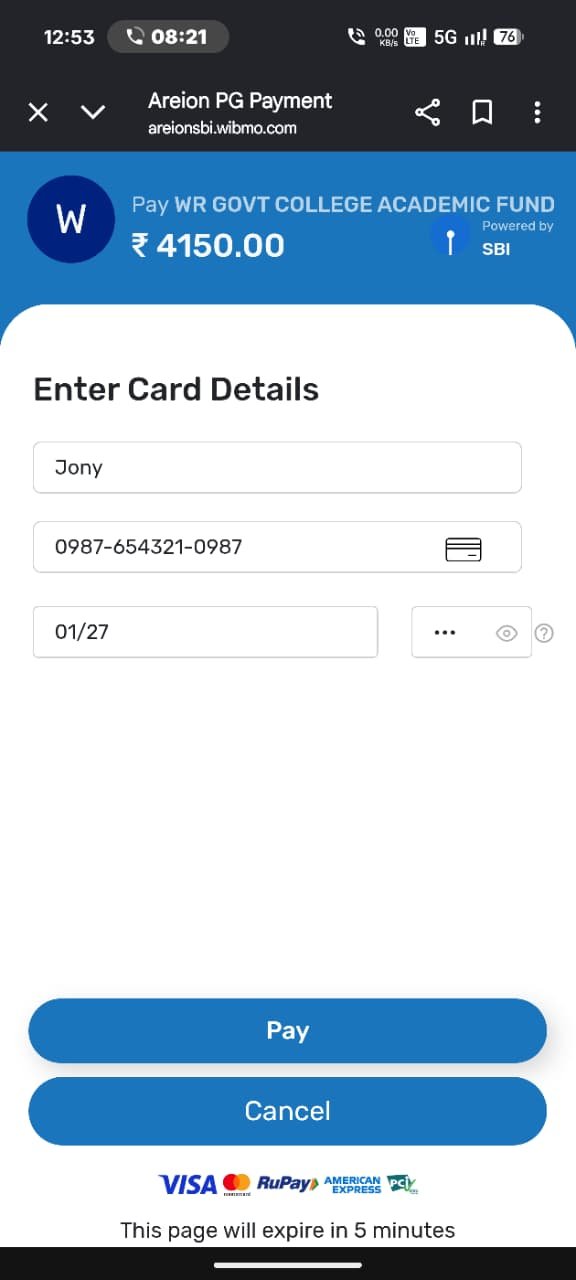
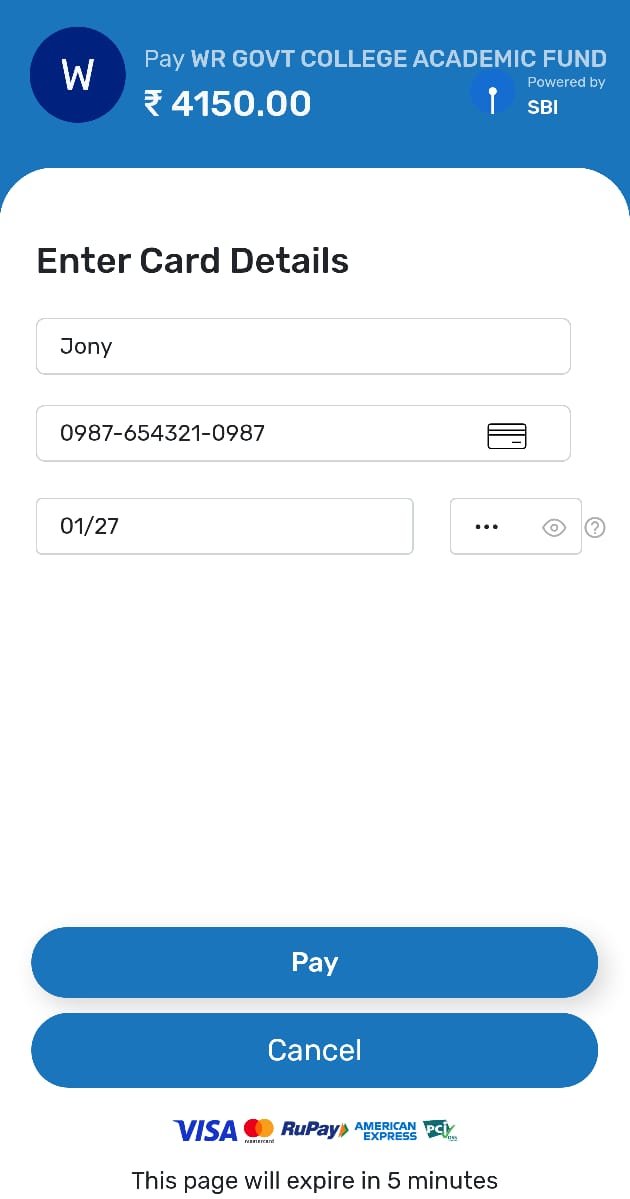
Step 6 — Enter Payment Details and Pay

Enter your card/net banking/UPI details as required and complete the payment.

Keep your transaction reference number safe — it is required for payment validation.

Tap an image to view full size

Facing an Issue?

If your payment fails or you don't receive a confirmation, contact the Academic Cell with your transaction reference number.

+91 98623 98106 +91 98626 08907 +91 84149 12718
wrgcollegedeomali@gmail.com
Contact Academic Cell
Apply Now